Meshtastic-GOSHkathmandu
Meshtastic control panel
A small web app that runs on the computer a Meshtastic board is plugged into (macOS, Linux or Raspberry Pi). It switches the board between operating modes and shows a live dashboard of what it hears.
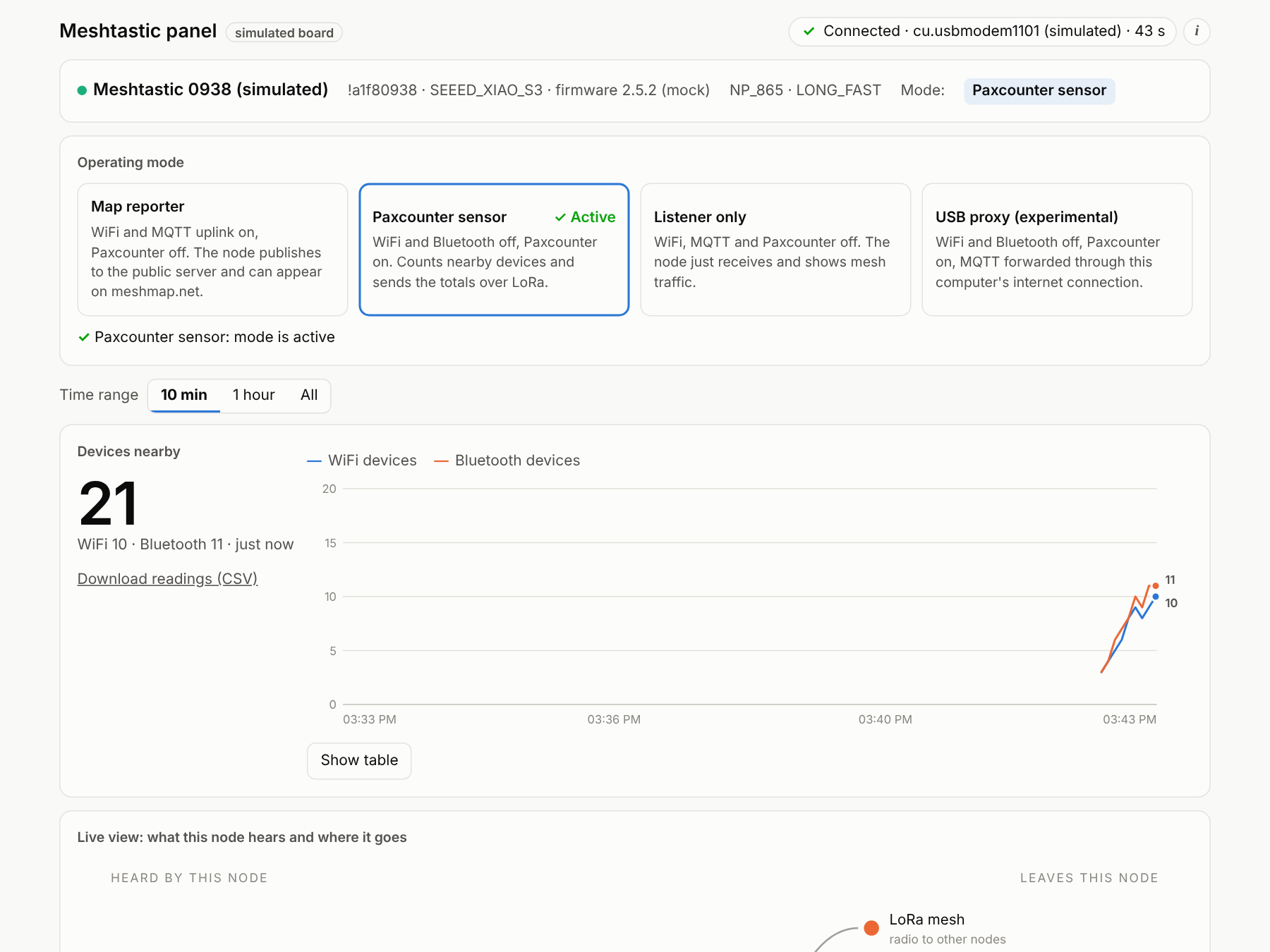
Full guide: docs/control-panel.md
Install and run
python3 -m venv venv && source venv/bin/activate
pip install -r requirements.txt
python server.py --mock                          # simulated board: try it without hardware
python server.py                                 # real board, port auto-detected
python server.py --port /dev/cu.usbmodem1101     # or name the port
Open http://127.0.0.1:8080. Only one program can use the USB port, so close the Meshtastic web client and any serial monitor first.
On a Raspberry Pi or over your network
python server.py --host 0.0.0.0 --token YOUR_SECRET
Without a token, anyone on the network could change your board’s settings. Type the token into the panel when you apply a mode or open the raw data.
Modes
| Mode | Settings applied |
|---|---|
| Map reporter | WiFi on, Bluetooth off, Paxcounter off, MQTT + map reporting + OK-to-MQTT on, channel uplink on |
| Paxcounter sensor | WiFi off, Bluetooth off, Paxcounter on (interval 30–3600 s), MQTT off |
| Listener only | WiFi, MQTT and Paxcounter off |
| USB proxy (experimental) | WiFi and Bluetooth off, Paxcounter on, MQTT through this computer (proxy_to_client_enabled) |
The panel never changes WiFi names or passwords. Settings a firmware doesn’t support are skipped and noted in the event log.
Add-on modules
The panel can load optional add-on modules, each with its own card:
| Module | What it does |
|---|---|
messages (on by default) |
Channel and direct messages: read, reply and start a direct message. Shows delivery status (sent, heard by the mesh, delivered, no answer, failed), signal and hops, unread counts, and a 200-byte counter. History is kept in data/messages.jsonl. |
python server.py --modules messages   # pick modules
python server.py --modules none       # core panel only
Sending a message needs the access token when the panel runs with --token. To write your own module, see modules/README.md.
Files
| File | Purpose |
|---|---|
server.py |
Flask app, HTTP API (/api/state, /api/mode, /api/raw/*, /api/pax.csv), per-node statistics, MQTT uplink check |
radio.py |
Board connection (auto-reconnect), mode definitions, and a MockRadio for testing |
static/index.html |
The whole dashboard: one offline HTML file, no build step |
static/devices/ |
(optional) local copies of device pictures as <name>.svg, used before the online ones |
modules/ |
Add-on modules (messages/, plus the loader and a template in modules/README.md) |
data/ |
Runtime data, git-ignored: pax_log.csv (Paxcounter readings), messages.jsonl (message history) |
Privacy
The raw-data view hides private keys, channel keys and passwords. Paxcounter logs contain only counts. Message history stays on this computer in data/messages.jsonl; delete the file to clear it.
Known limits
- Mode switching, USB proxy and map reporting have had limited testing on real boards (firmware 2.5.x).
- The device pictures need internet the first time; offline, the panel draws simple shapes instead.